

ThreoAI Projects
Use ThreoAI Projects to group related conversations and shared context so a thread of work keeps memory across chats - made in Studio, at /explore/projects.
Overview
Section titled “Overview”A Project groups related conversations and shared context together, so a thread of work has memory across chats. Instead of scattering a long-running effort across one-off conversations, you keep them in a named Project that acts like a workspace for that topic, client, or workstream.
Projects are personal to your account. The ones you create are visible only to you, and the conversations inside them stay in your workspace.
You reach Projects at /explore/projects, and you create them from Studio. Projects sits in the left sidebar from the start - you do not have to create one first. It is part of the ThreoAI navigation set, so it is not shown while the sidebar is switched to Wingtip.
Creating a Project
Section titled “Creating a Project”There are two ways to create a Project.
From Studio:
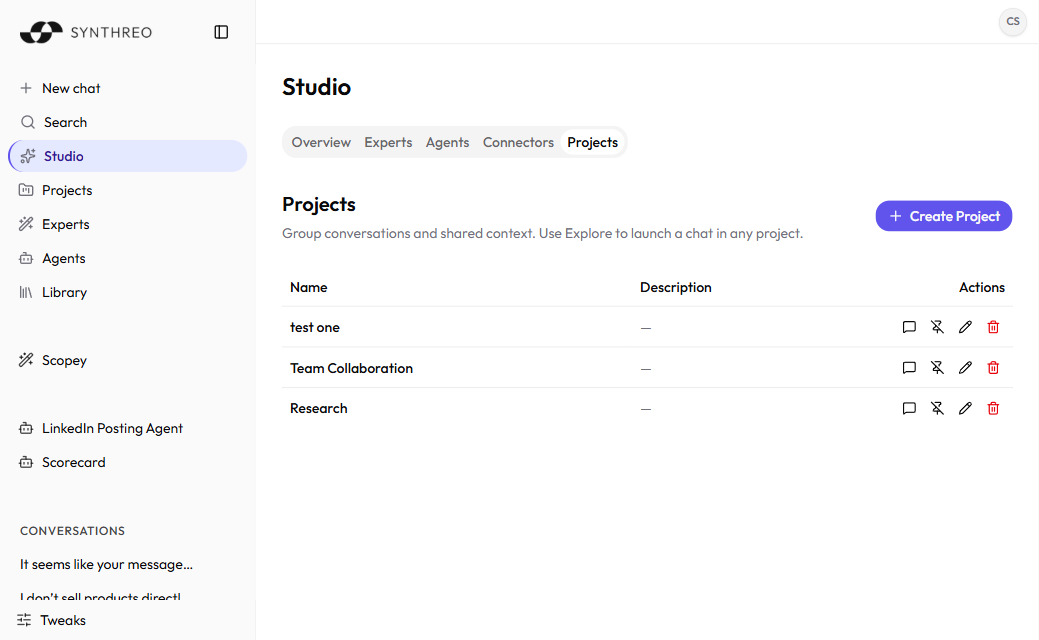
- Open Studio from the left sidebar.
- Select the Projects tab.
- Choose to create a new Project and give it a descriptive name - for example, “Client Onboarding,” “Q2 Marketing Research,” or “IT Policy Review.”
- The Project opens, ready for its first conversation, and appears in the sidebar.
From a conversation: open the … menu on a conversation in the sidebar and choose to start a Project from it. This is handy when a single chat grows into a larger thread of work.
There is no limit on the number of Projects per account.
Using a Project
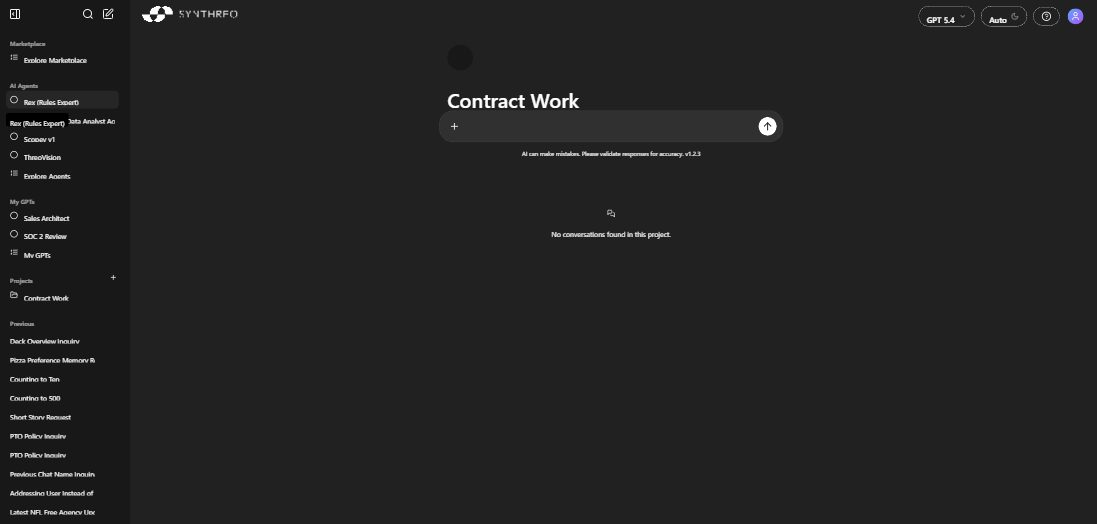
Section titled “Using a Project”Select a Project to open its workspace. It looks like a normal ThreoAI chat, except every conversation you start inside it is scoped to the Project and shares the Project’s context.
Inside a Project workspace you will see:
- the Project name as the heading, so you know where you are,
- a composer to start a new conversation in the Project,
- the conversations already started in the Project, each one resumable, and
- an empty-state message if you have not started any yet.
Starting a conversation inside a Project
Section titled “Starting a conversation inside a Project”- Open the Project from the sidebar or from /explore/projects.
- Type your message in the composer.
- Press Enter. The conversation begins and saves inside the Project.
All the usual chat features work here - attaching files, multi-line messages with Shift + Enter, and the capabilities each model supports. Pick the model before you send the first message, exactly as in any other chat: the selector locks once a conversation has messages in it.
How Project conversations differ from general chats
Section titled “How Project conversations differ from general chats”The point of a Project is shared context and memory. Conversations you start inside a Project group under it and keep that shared thread, rather than landing in your general conversation list. Conversations you start from the home screen stay general by default - they are not tied to any Project unless you move one in later.
Managing a Project
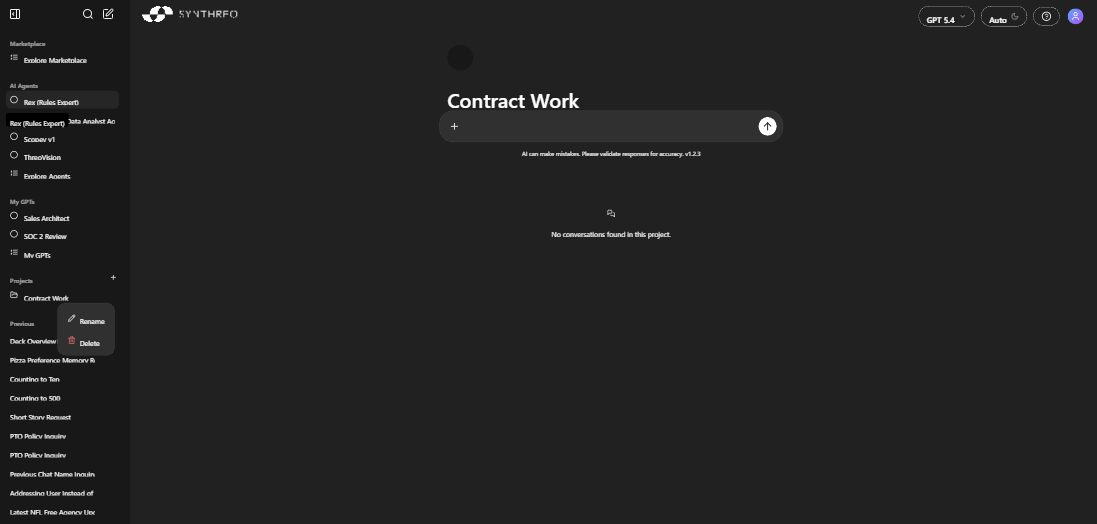
Section titled “Managing a Project”Hover over a Project in the sidebar to reveal a … menu.
- Rename - opens an inline editor. Type the new name and press Enter. The conversations and their content are untouched; only the display name changes.
- Delete - removes the Project. You will be asked to confirm.
Warning: Deleting a Project permanently removes it and every conversation inside it. This cannot be undone. If a Project holds something important, rename it instead, or copy the content out first.
Tips for using Projects well
Section titled “Tips for using Projects well”- Group by client, topic, or workstream. One Project per client, or per phase of a larger effort, keeps related threads together.
- Use clear names. “Q2 Campaign - Copy Review” beats “Marketing” when you have several Projects open.
- Lean on the shared context. Because conversations in a Project share memory, a Project is ideal for work that stretches over days or weeks.
- Keep one-offs in the home chat. Quick questions that do not belong to an ongoing effort are better off as general chats.
Frequently Asked Questions
Section titled “Frequently Asked Questions”Can I move an existing conversation into a Project? Yes. Open the conversation’s … menu in the sidebar and choose Move to project, then pick the Project. You can also choose Add to new project to create a Project and move the conversation into it in one step. Once moved, the conversation picks up that Project’s shared context like any other conversation in it.
Can I share a Project with someone else? No. Projects are personal to your account. To share an outcome, copy the relevant content and pass it along through your usual channels.
Do Projects change how the AI responds? The shared context within a Project carries across its conversations, which is the point. Available models and capabilities are the same as anywhere else in ThreoAI.
Is there a limit on conversations in a Project? No. You can start as many as you need.
Related
Section titled “Related”- Starting a Chat - send messages and pick your model
- Studio Overview - where Projects, Experts, and Connectors are created
- Navigating the Interface - the sidebar and where Projects appear
- Working with Files - attach files to Project conversations